Own Your AI.

Stop renting AI. Locally host powerful LLMs on your own hardware.

Install OpenClaw
Skip to content
Android Sage Logo
  • Home
  • News
  • Downloads
  • How To
  • Contact Us
Install OpenClaw
Android Sage Logo
Install OpenClaw
How To Google

Changing your Google Account will enable Google Assistant immediately

BySarang Hours March 9, 2017 Hours Updated onMarch 9, 2017 Categories How To, Google
Changing your Google Account will enable Google Assistant immediately
AI Summarize

The Google Assistant is based not only on the location but also on the primary Google Account on your Android device. If you already have two different Google Accounts then you are in luck. If not, then it’s not very hard to make one. Today, while testing on one of our Android devices – OnePlus 3, we found a simple trick that will immediately enable the Google’s new assistant service.

As we have already informed you that the Google Assistant is server side switch and is rolling out in stages. What we discovered is that the assistant acceptance is mainly based on your primary Google account. Simply signing out of the primary Google account should immediately enable the update. If not, then add another gmail address to your Android device by going to Settings>Accounts>Add Account. Add a Google account and sign in. Check out the full tutorial below.

The most probable explanation to this is that Google already has registered the account’s permanent location by collecting miscellaneous data through out these years. So if you are not living in United States where the assistant is active, it won’t show up right now using your primary account.

Our primary account has still not received the Google Assistant. But we are enjoying the new AI from a different account. The only drawback is that the feeds and search results won’t show up from the primary one.

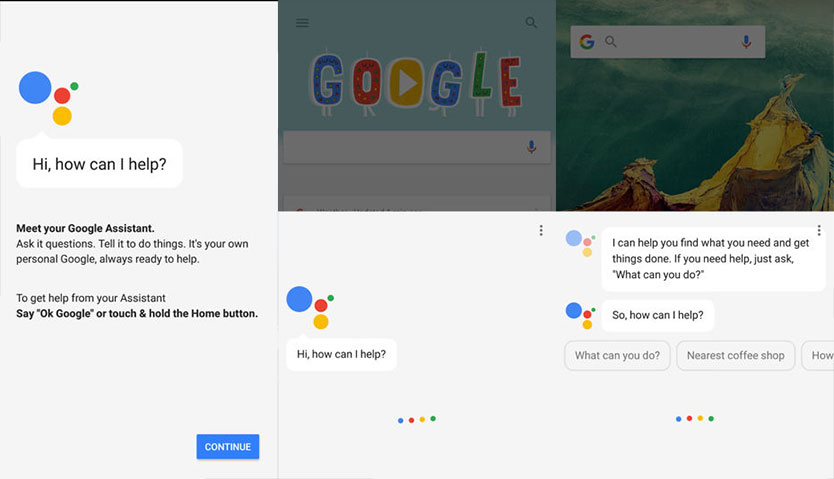
Before signing out from the Google App:
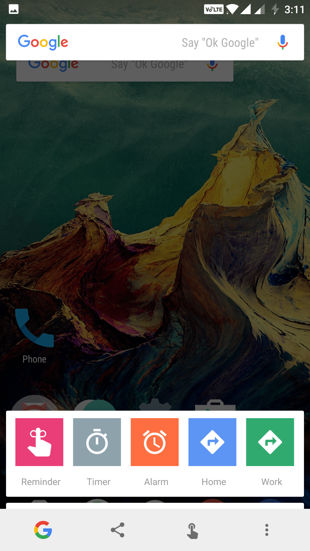
Before signing out from the Google App

After signing out of the Google App:

After signing out of the Google App get Google Assistant

Enable Google Assistant right now by signing into different Google account

  • First, go through all the procedures from our earlier post about Google Assistant. It lists the minimum requirements for the same.
  • Once you have the latest Google App, Google Play Services, and changed the system language to English US, continue with the following steps.
  • Make sure you have a secondary Google account. If not create one and select all US settings like Language and location.
  • Open the Google App and go to the settings. To do so, tap on the Google logo on the top left and then you will see 3 horizontal lines.
  • Tap on the 3 horizontal lines and go to Settings.
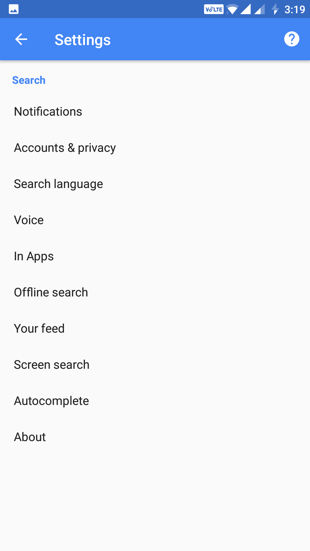
Screenshot 20170309 151902

  • From Settings go to Accounts & Privacy
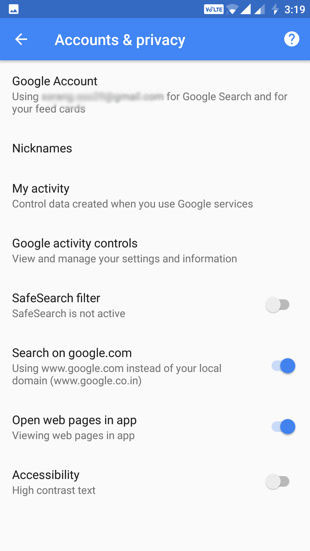
Screenshot 20170309 151915

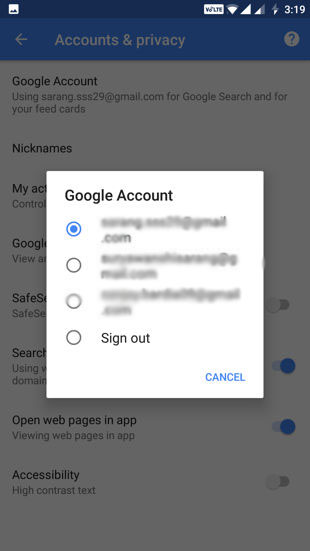
  • Now tap on Google Account and Sign Out.
Screenshot 20170309 151921

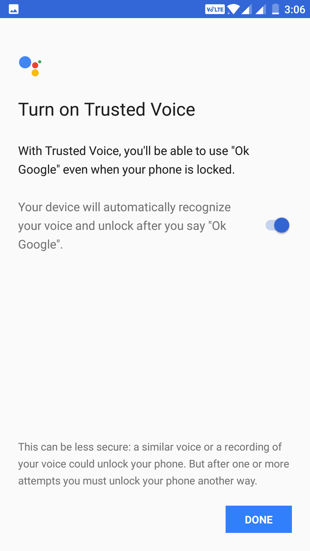
  • While signing out alone should enable the Google Assistant immediately, if it doesn’t, select a different Account.

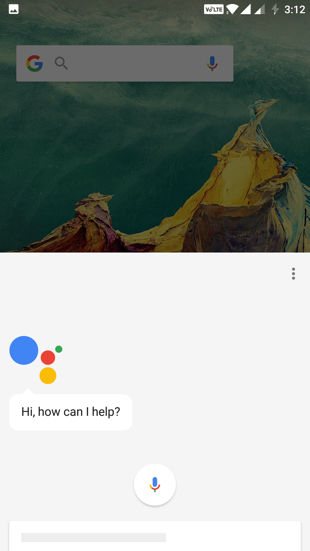
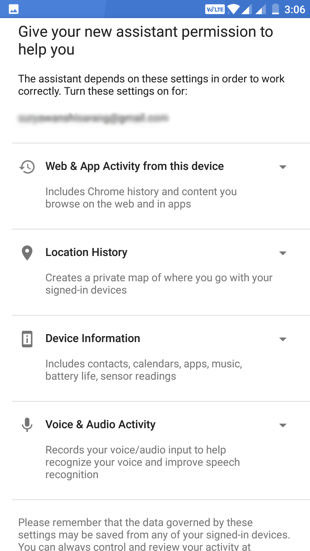
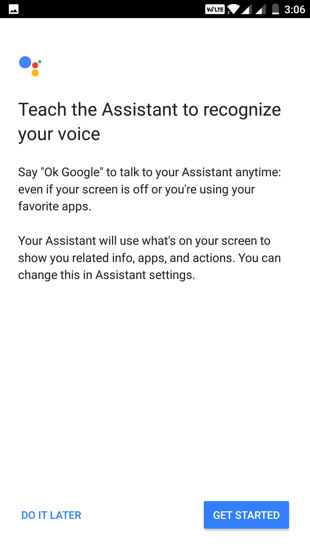
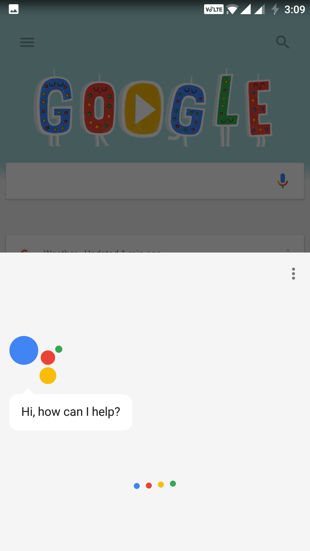
Google Assistant screenshots
Screenshot 20170309 150657Screenshot 20170309 150602Screenshot 20170309 150627 Screenshot 20170309 150927

That’s it. Now you can enjoy the new Google AI.

More on Latest

Share post

  • Share
  • Share on X (Opens in new window) X
  • Share on Reddit (Opens in new window) Reddit
  • Share on Facebook (Opens in new window) Facebook
  • Share on Telegram (Opens in new window) Telegram
  • Share on Bluesky (Opens in new window) Bluesky
  • Share on WhatsApp (Opens in new window) WhatsApp
  • Share on Threads (Opens in new window) Threads
  • Share on LinkedIn (Opens in new window) LinkedIn
  • Email a link to a friend (Opens in new window) Email
Post Tags: #get Google Assistant right now#Google Assistant#How to enable Google Assistant#sign out from Google accounts#sign out of google app#switch google account
Sarang

Tech Expert & Software Developer

Sarang is an Android enthusiast, software developer, expert in the Android, phones, software, niche and has been a tech blogger for various other technology websites.

Facebook X Linkedin
  • Google Source
  • Telegram
  • WhatsApp
  • RSS Feed
  • Facebook
  • X
  • Bluesky
  • Threads
  • YouTube
GO HOME
Google is rolling out a feature to fix or change your Gmail address (How To)Google is rolling out a feature to fix or change your Gmail address (How To)
Download Samsung One UI 8.5 Leaked FirmwareDownload Samsung One UI 8.5 Leaked Firmware
Download Major Free Fire x JUJUTSU KAISEN 1.120.1 Update!Download Major Free Fire x JUJUTSU KAISEN 1.120.1 Update!
Major Google Maps Update brings 3D Immersive Navigation and Ask Maps to iOS, Android, CarPlay, and Android Auto Major Google Maps Update brings 3D Immersive Navigation and Ask Maps to iOS, Android, CarPlay, and Android Auto 
Android Auto 16.5 Update Prepares for 3D Immersive Navigation and Ask MapsAndroid Auto 16.5 Update Prepares for 3D Immersive Navigation and Ask Maps
Download stable GCAM 8.4 APK by Parrot for your Android phonesDownload stable GCAM 8.4 APK by Parrot for your Android phones
  • AAOS SDV Android Auto going Open Source
    Google Open Source Android Automotive OS for Software-defined Vehicles
  • Gemini 1.0.86 APK download
    Everything New in the March 2026 Gemini 1.0.88 Update (APK Download)
  • Android Sideloading It's Over
    Google Backtracks on Android App Sideloading By Introducing New Rules [Claims Safety & Security]
  • BIGGEST UPDATE OF AI STUDIO IS OUT
    Google AI Studio’s Biggest Update Yet: UI Overhaul and New Developer Features
  • Download Fortnite iOS
    Fortnite Is Back on Google Play Store Worldwide for Android (APK Download)
Google Reviews Facebook X Telegram WhatsApp
  • Home
  • Advertise
  • About
  • Contact Us
  • Privacy Policy
  • TOS
  • Sitemap

© 2026 Android Sage original content featured in Google Discover & News | Android is a trademark of Google Inc

Scroll to top
  • Home
  • News
  • Downloads
  • How To
  • Contact Us
 

    Search